

Overview
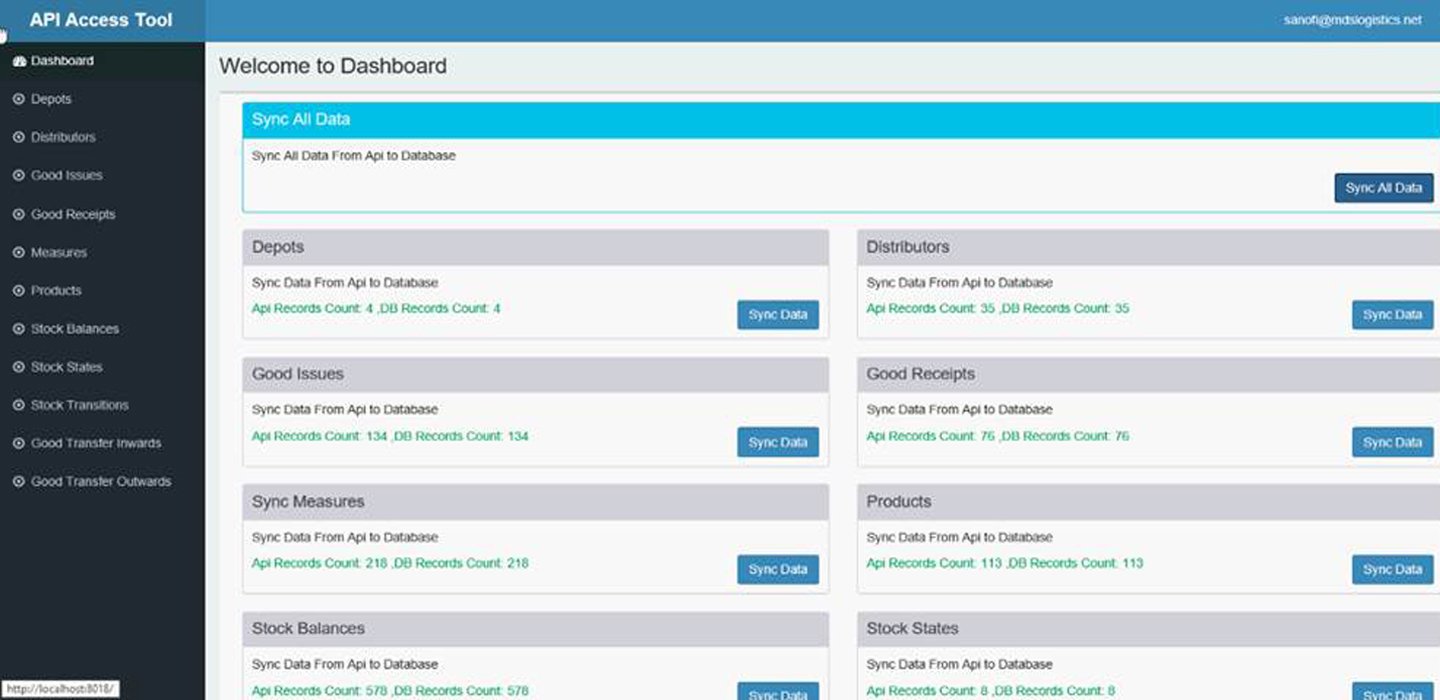
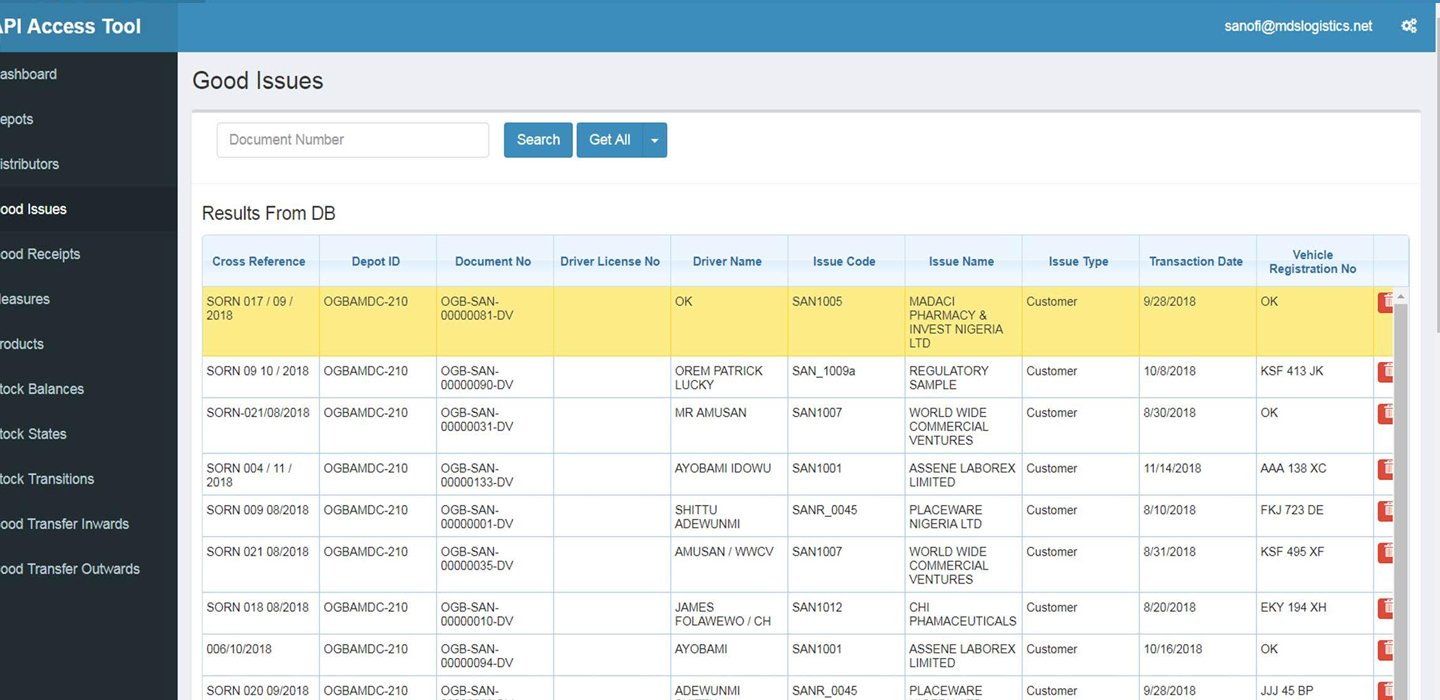
The Sanofi MDS API Sync Tool is designed to facilitate seamless interaction between Sanofi's internal systems and the MDS logistics API. The tool enables users to access, retrieve, submit, update, and delete logistics-related data through various API endpoints. It also supports storing retrieved data in a local database and provides an interface to view and manage the data through structured grids.
Key Features
Secure User Authentication
Ensures only authorized users can access the tool.
Seamless Integration with MDS Logistics API
Supports real-time communication with multiple API endpoints.
Comprehensive Data Management
Enables full CRUD (Create, Read, Update, Delete) operations on key logistics data.
Automated Data Synchronization
Fetches data from API and stores it in the local database for consistency and backup.
Intuitive Grid-Based Data Display
Presents retrieved data in structured, user-friendly grid views.
Modular Entity Handling
Dedicated modules for managing Depots, Distributors, Products, Measures, and more.
Logistics Operations Support
Handles key logistics processes including Goods Issues, Goods Receipts, and Stock Transfers.
Inventory Tracking and Monitoring
Supports stock balance visibility and transition history for better inventory control.
Scalable and Maintainable Architecture
Designed for easy future enhancements and module additions.
Our AI-Native Engineering Process
We combine Spec-Driven Development, modern software engineering, and AI-native practices to transform ideas into secure, scalable, and production-ready software.
Understand business goals, user needs, and product vision to establish clear project objectives.
Define detailed product specifications, user stories, acceptance criteria, technical requirements, and delivery roadmap before development begins.
Design intuitive user experiences alongside scalable architecture, APIs, databases, and system integrations.
Build secure, scalable software using modern engineering practices, AI-assisted development, and continuous code reviews.
Validate functionality, performance, security, and reliability through comprehensive testing and continuous quality assurance.
Deploy production-ready software using automated CI/CD pipelines, cloud infrastructure, and secure release practices.
Continuously enhance, optimize, and modernize software based on user feedback, analytics, business priorities, and emerging technologies.
Provide ongoing technical support, proactive monitoring, performance optimization, and strategic guidance to help your software continue delivering business value.
